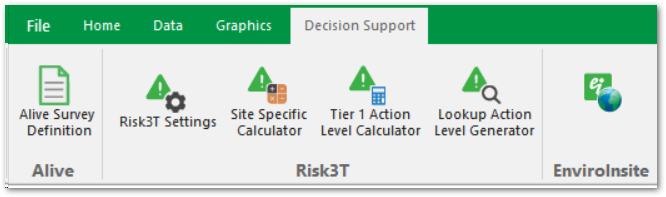
The EQuIS User Interface uses a ribbon to facilitate navigation consists of:
•Tabs that are organized around license packages
•Access to the EQuIS Professional backstage by clicking the File tab on the ribbon or the EQuIS Globe icon
•Ability to connect to a database by filling out the Connect tab in the EQuIS Professional backstage
•Help button for access to Help topics
The EQuIS Ribbon has several tabs:
•File
•Home – shown when logging into EQuIS Professional. The ribbon includes Import, Edit, Open, Graphic Tools, and other EarthSoft products like the EQuIS Data Processor (EDP).

•Data – tools for managing, exporting, and reporting data

•Graphics – tools for creating models with EQuIS data

•Decision Support – contains reports and forms for Alive, Risk3T, and EnviroInsite. These buttons can be activated by making selections on the Decision Support section of the License Chooser.